When people think about PC security, antivirus software is often the first thing that comes to mind. While antivirus software is important, it is only one piece of a secure system. The software running on a computer every day—such as the operating system, browsers, and core applications—also plays a major role in keeping systems protected.
Outdated software can quietly create security gaps, even when everything appears to be working normally. Regular updates are designed to fix bugs and address newly discovered vulnerabilities, helping prevent small issues from turning into larger risks. For small and midsize businesses, maintaining PC security starts with understanding why keeping software up to date is a foundational part of a stable, secure IT environment.
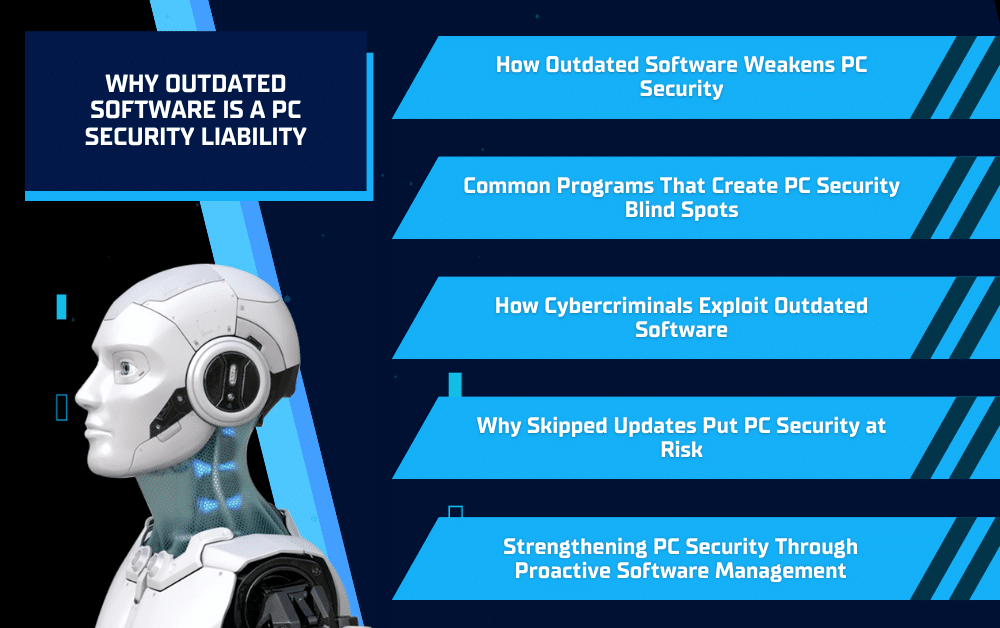
How Outdated Software Weakens PC Security
What happens when software stops receiving security patches
Software vendors regularly release updates to fix bugs and close newly discovered security gaps. When a product reaches end-of-life, those updates stop. At that point, any security flaws that are discovered going forward remain unpatched, even if they are well understood by the industry. Over time, this creates growing gaps in PC security as threats continue to evolve while the software remains unchanged.
Many of these security issues are documented in public vulnerability databases so IT professionals know what risks exist and how to address them. While this transparency helps defenders, it also means outdated software becomes easier to identify. Once patching ends, systems running that software are effectively locked into known weaknesses.
Why known vulnerabilities are easy targets for attackers
Outdated software is appealing to attackers because it removes uncertainty. When a vulnerability is publicly documented, attackers know exactly how it works and what conditions are required to exploit it. Automated tools routinely scan for outdated software versions, allowing attackers to focus on systems that are more likely to be accessible.
Because these weaknesses are already understood, exploiting older software typically requires less effort than trying to bypass fully updated systems. This does not mean an attacker is actively targeting every small business, but it does mean outdated software lowers the barrier for entry and weakens overall PC security.
The hidden risk of “software that still works”
One of the most common challenges with outdated software is that it often appears to function normally. Applications may open, files may load, and daily work continues without interruption. This can create the impression that everything is secure simply because performance has not been affected.
In reality, performance and security are not the same. Software can be stable and usable while still exposing vulnerabilities in the background. When decisions are based only on usability, outdated software can remain in place far longer than it should, quietly increasing risk and undermining PC security over time.
Common Programs That Create PC Security Blind Spots
Operating systems running past vendor support
Operating systems play a central role in PC security because they manage how hardware, software, and data interact. When an operating system reaches the end of vendor support, it no longer receives security updates or patches. Any new vulnerabilities discovered after that point remain unaddressed, even if they are widely known.
For small and midsize businesses, this can quietly increase risk over time. An unsupported operating system limits the effectiveness of other security tools and can make it harder to maintain a stable, secure environment, even if the system continues to function normally. For many small and midsize businesses, working with a partner that provides Windows PC & Server Support helps ensure operating systems stay properly supported, updated, and aligned with long-term PC security needs.
Windows Updates and patches
Windows updates are a critical part of maintaining strong PC security because they address vulnerabilities at the operating system level, where many threats try to gain a foothold. Microsoft regularly releases updates that fix security flaws, improve system stability, and enhance built-in protections such as firewall behavior and exploit prevention.
When Windows updates are delayed or disabled, known vulnerabilities remain open and can be exploited by malware, ransomware, or automated attacks that specifically look for unpatched systems. Even when antivirus software is installed, an outdated operating system can limit its effectiveness. Keeping Windows fully updated ensures PCs receive the latest security improvements and helps establish a reliable baseline for long-term PC security across all devices.
Web browsers, plugins, and extensions
Web browsers are one of the most frequently used applications on any PC, which also makes them a common entry point for security issues. Browsers and their plugins require frequent updates to address newly discovered vulnerabilities and improve protection against emerging threats.
Extensions and plugins can introduce additional risk if they are outdated, poorly maintained, or no longer supported. Even a single outdated browser component can weaken overall PC security during routine activities like browsing the web, accessing cloud applications, or opening email links.
Legacy or industry-specific applications
Many businesses rely on specialized or legacy applications that support critical workflows. These programs can be harder to update, especially if they were built for older systems or depend on outdated technologies. In some cases, vendors may reduce development or stop providing regular security updates altogether.
When this happens, these applications can become long-term weak points within the system. While they may still be necessary for daily operations, they require careful management to ensure they do not undermine PC security across the rest of the environment.
How Cybercriminals Exploit Outdated Software
Drive-by attacks from compromised websites
Drive-by attacks occur when a user visits a legitimate website that has been compromised without their knowledge. If a browser or plugin is outdated, malicious code on the site can take advantage of known vulnerabilities to run in the background. In many cases, the user does not need to click anything for the exploit to occur.
Because these attacks rely on unpatched software, they often go unnoticed at first. Keeping browsers and related applications up to date helps reduce exposure during routine activities like researching information, accessing cloud tools, or visiting industry websites.
Phishing emails that rely on unpatched systems
Phishing emails remain one of the most common ways malicious content reaches a business. While these messages often rely on deceptive wording, they also take advantage of outdated software to do real damage. Malicious attachments or links may exploit known vulnerabilities in email clients, document viewers, or web browsers.
When systems are fully updated, many of these attempts fail before causing harm. Outdated software, however, increases the likelihood that a phishing email can move beyond a simple nuisance and turn into a real PC security issue.
Malware and ransomware are exploiting known flaws
Malware and ransomware frequently use publicly documented vulnerabilities to gain access to systems. Once a flaw is identified, attackers may reuse it across multiple campaigns, knowing it will remain effective against unpatched software.
Older software typically offers less resistance because security improvements are no longer being applied. While this does not mean every outdated system will be targeted, it does mean outdated software lowers the barrier for exploitation and makes recovery more difficult if an incident does occur. This is where cybersecurity consulting becomes valuable, helping businesses identify exposure, understand risk, and take practical steps to strengthen PC security before issues escalate.
Why Skipped Updates Put PC Security at Risk
Why users delay or ignore updates
Software updates are often postponed because they interrupt work, require restarts, or seem inconvenient during a busy day. In small and midsize businesses, updates may also be delayed out of concern that something could break or disrupt a critical application. Over time, these small delays add up and leave systems exposed longer than intended.
While postponing an update may feel harmless in the moment, each delay increases the window where known vulnerabilities remain unaddressed. This can slowly weaken PC security across multiple devices without being immediately noticeable.
Software that doesn’t update automatically
Not all software updates are automatic. Some applications require manual updates or rely on users to approve new versions. When this happens, it is easy for software to fall behind, especially if updates are infrequent or poorly communicated.
Without a clear process for monitoring update status, outdated applications can remain installed for long periods. This creates inconsistencies in PC security, where some systems are fully protected while others quietly fall behind.
The challenge of managing updates across multiple PCs
As the number of devices in a business grows, keeping track of updates becomes more complex. Each PC may have a different combination of operating systems, applications, and update schedules, making it difficult to maintain consistency.
Without centralized visibility, it is easy to miss systems that are out of date. This lack of consistency increases overall risk and makes PC security harder to manage effectively across the organization.
Strengthening PC Security Through Proactive Software Management
Centralized patching and update monitoring
Proactive software management focuses on maintaining visibility into what is installed across all PCs and ensuring updates are applied consistently. Centralized patching allows updates to be monitored and deployed in a controlled way, reducing reliance on individual users to manage security-critical changes.
By tracking software versions and update status in one place, businesses gain a clearer picture of where gaps exist. This approach helps keep PC security aligned across systems and reduces the risk created by missed or delayed updates.
Reducing the overall attack surface
Every application installed on a PC represents a potential entry point. Proactive management helps limit unnecessary or outdated software, reducing the number of paths attackers could use to gain access.
Removing unsupported programs and standardizing approved applications minimizes exposure while still supporting daily business needs. Fewer weak points make PC security easier to maintain and more resilient over time.
Creating consistent PC security across devices
Consistency is a key factor in maintaining a secure environment. When PCs follow the same update policies and software standards, security becomes more predictable and easier to manage.
This consistency reduces the impact of individual user behavior and helps ensure all systems meet the same baseline for PC security. Over time, this creates a more stable and reliable IT environment for the business as a whole.
Why Staying Current Matters for Long-Term PC Security
Outdated software is one of the most common and preventable factors that can weaken PC security over time. Keeping systems current helps maintain consistency, reduce risk, and support long-term stability across your IT environment. If you want a clearer picture of how well your systems are protected, Solinkit offers PC security assessments for small and midsize businesses. You can request an assessment to identify outdated software, uncover gaps, and get practical recommendations to strengthen PC security moving forward.