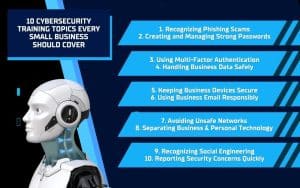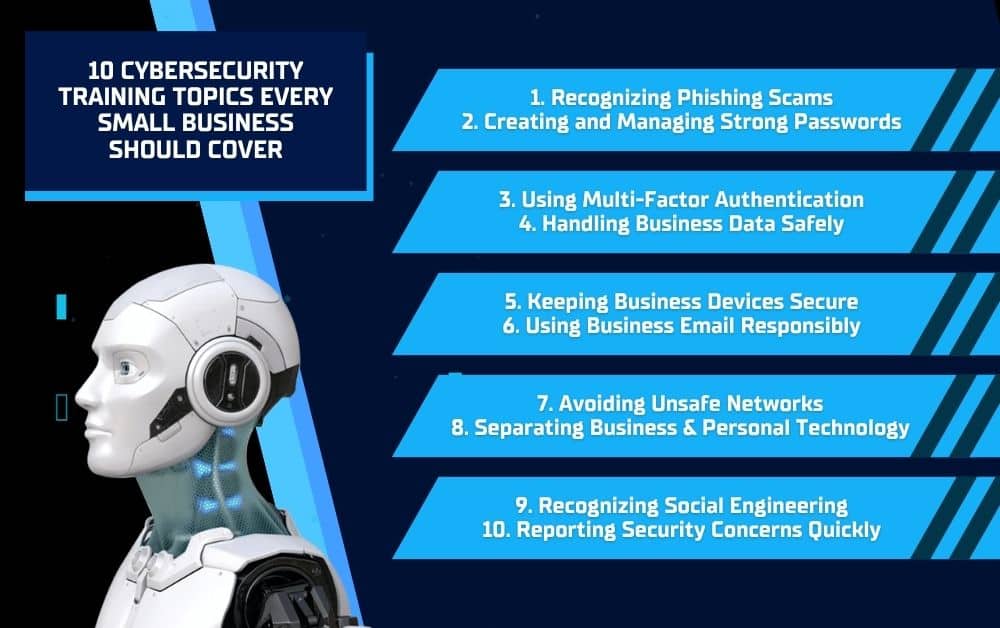
Your employees use email, business accounts, shared files, and company devices every day, making their technology habits an important part of your small business’s security. One careless click or weak password can expose sensitive information, interrupt operations, and create costly problems for your business. However, your employees cannot avoid threats they have not learned to recognize. Cybersecurity training helps you teach your employees how to identify suspicious activity, protect business information, and respond quickly when something goes wrong. These 10 essential topics can help you prepare your team to make safer decisions whenever they use business technology.
1. Recognizing Phishing Scams
Phishing scams are fraudulent messages designed to convince your employees to reveal information, open harmful attachments, click unsafe links, or send money. These messages often appear to come from trusted sources, such as managers, vendors, financial institutions, or technology providers. Because phishing attempts frequently target employees directly, recognizing them should be a central part of your cybersecurity training.
What Phishing Warning Signs Should Your Employees Know?
Teach your employees to watch for common warning signs, including:
- Unfamiliar or misspelled email addresses
- Unexpected links or attachments
- Urgent demands for immediate action
- Requests for passwords or financial information
- Unusual payment or account-change requests
- Messages that contain spelling or formatting errors
Your employees should avoid clicking or responding when something seems suspicious. Instead, they should verify the request by contacting the supposed sender through a trusted phone number, email address, or other established communication method. Taking a moment to confirm a message can prevent a phishing attempt from becoming a serious security incident.
2. Creating and Managing Strong Passwords
Weak or reused passwords can give cybercriminals an easy way into your company’s email, software, and other business accounts. Your cybersecurity training should explain how poor password habits put the entire business at risk, even when only one employee’s account is compromised.
What Password Habits Should Your Employees Follow?
Teach your employees to:
- Create long, unique passwords for every business account
- Avoid using names, birthdays, or other personal details
- Never reuse business passwords for personal accounts
- Store login information in a trusted password manager
- Avoid sharing passwords through email or text messages
- Report passwords they believe have been exposed
Clear password guidelines make it easier for your employees to follow consistent security practices. They also reduce the likelihood that one compromised password will give a cybercriminal access to multiple business systems.
3. Using Multi-Factor Authentication
A strong password provides important protection, but it may not prevent account access if someone steals it. Multi-factor authentication adds another verification step, such as a temporary code, security app notification, or physical security key. Your cybersecurity training should teach your employees how to use this added protection correctly.
What Should Your Employees Know About Multi-Factor Authentication?
Teach your employees to:
- Enable multi-factor authentication on every approved business account
- Use an authentication app or security key when available
- Never share authentication codes with another person
- Reject login requests they did not initiate
- Report unexpected verification notifications immediately
- Contact your IT provider if they lose access to an authentication device
Multi-factor authentication can prevent an exposed password from becoming a compromised account. However, your employees must recognize that unexpected codes or approval requests could mean someone is attempting to access the business’s systems.
4. Handling Business Data Safely
Your employees may work with customer details, financial records, login credentials, employee files, and other sensitive information. Mishandling this data can lead to unauthorized access, privacy concerns, and damage to your company’s reputation. Cybersecurity training should give your employees clear rules for accessing, storing, sharing, and deleting business information.
How Should Your Employees Protect Business Data?
Teach your employees to:
- Access only the information needed for their responsibilities
- Store files in approved business systems and locations
- Confirm recipients before emailing or sharing sensitive information
- Avoid saving business data to personal devices or accounts
- Lock their screens when stepping away from their devices
- Securely delete files when they are no longer needed
- Report accidental sharing or unauthorized access immediately
Clear data-handling rules help your employees understand their responsibilities. They also reduce the risk of sensitive information reaching the wrong person through a preventable mistake.
5. Keeping Business Devices Secure
Your employees use computers, tablets, and mobile devices to access business accounts and information. If these devices are outdated, left unlocked, or used to download unapproved software, they can create security gaps across your network. Cybersecurity training should explain how your employees can protect every device they use for work.
How Can Your Employees Keep Business Devices Secure?
Teach your employees to:
- Install approved software and security updates promptly
- Use a password, PIN, or biometric lock on every device
- Lock their screens whenever they step away
- Avoid downloading unapproved programs or browser extensions
- Keep laptops and mobile devices physically secure
- Never allow unauthorized people to use business devices
- Report lost, stolen, or damaged equipment immediately
Secure devices help protect the business accounts, files, and systems your employees use throughout the workday. Clear expectations also make it easier for your employees to recognize and report device-related risks before they become larger problems.
6. Using Business Email Responsibly
Email gives cybercriminals a direct way to reach your employees and request sensitive information, payments, or account access. Some fraudulent messages closely imitate real vendors, managers, or coworkers, making them difficult to identify. Cybersecurity training should teach your employees to slow down and verify unusual requests before taking action.
What Business Email Practices Should Your Employees Follow?
Teach your employees to:
- Check the sender’s full email address before responding
- Confirm recipients before sending sensitive information
- Avoid opening unexpected links or attachments
- Verify unusual payment or account-change requests
- Never send passwords or login codes through email
- Use only approved business email accounts for company communication
- Report suspicious messages instead of forwarding them to coworkers
Responsible email habits can prevent fraudulent payments, exposed credentials, and unauthorized access to business information. Your employees should know that taking a moment to verify a request is always better than reacting quickly to a convincing message.
7. Avoiding Unsafe Networks
Your employees may need to work from home, hotels, airports, coffee shops, or other locations outside the office. Public Wi-Fi networks can expose business activity and information if employees connect without the proper safeguards. Cybersecurity training should explain how your employees can securely access company accounts and files while working remotely.
How Should Your Employees Connect Outside the Office?
Teach your employees to:
- Avoid accessing sensitive business information on public Wi-Fi
- Use a secure home network whenever possible
- Connect through a company-approved virtual private network
- Use a mobile hotspot when a trusted network is unavailable
- Confirm the correct network name before connecting
- Turn off automatic Wi-Fi connections on business devices
- Contact your IT provider when they are unsure whether a connection is secure
Clear remote access rules help your employees remain productive without unnecessarily exposing your business information. Providing approved tools and connection methods also makes it easier for them to choose a secure option wherever they work.
8. Separating Business and Personal Technology
Mixing business and personal technology can make it harder to control where company information is stored and who can access it. Personal email accounts, devices, cloud storage, and software may not have the same protections as your approved business systems. Cybersecurity training should teach your employees to keep work activities within the tools your company provides.
How Should Your Employees Keep Technology Separate?
Teach your employees to:
- Use business email accounts for all work-related communication
- Store company files only in approved business systems
- Avoid accessing business accounts on shared personal devices
- Keep personal files and applications off company-owned equipment
- Never send business information to a personal email address
- Use only company-approved software and cloud storage
- Follow your security policies when using a personal device for work
Separating business and personal technology gives you greater control over sensitive information and account access. It also helps your employees avoid accidentally exposing company data through an unsecured personal account or device.
9. Recognizing Social Engineering
Cybercriminals do not always rely on malicious software to access a business. They may manipulate your employees into revealing information, sending money, or granting access by pretending to be a manager, vendor, customer, or IT professional. Cybersecurity training should help your employees recognize social engineering attempts across phone calls, text messages, social media, and in-person interactions.
What Social Engineering Tactics Should Your Employees Recognize?
Teach your employees to:
- Question unexpected requests for sensitive information
- Watch for urgent messages designed to create panic
- Verify the identity of anyone requesting account access
- Confirm payment or banking changes through a trusted method
- Avoid sharing workplace details on social media
- Never provide passwords or verification codes to another person
- Report suspicious calls, texts, or conversations immediately
Your employees should understand that a familiar name or convincing story does not make a request legitimate. Giving them permission to pause and verify unusual requests can prevent cybercriminals from using human trust to access your business.
10. Reporting Security Concerns Quickly
Even well-trained employees can click a suspicious link, send information to the wrong person, or lose a business device. Delayed reporting gives a potential threat more time to spread or expose sensitive data. Cybersecurity training should clearly explain what your employees need to report, whom they should contact, and how quickly they should act.
What Security Concerns Should Your Employees Report?
Teach your employees to report:
- Suspicious emails, calls, text messages, or login requests
- Accidental clicks on questionable links or attachments
- Passwords or account information that may be exposed
- Lost, stolen, or misplaced business devices
- Business data sent to the wrong recipient
- Unusual account activity or unexpected system changes
- Any suspected security incident, even when they are unsure
Create a simple reporting process and make sure every employee knows how to use it. Encourage your employees to report mistakes immediately without fear of punishment. Fast reporting gives your IT team or provider a better chance to secure affected accounts, investigate the problem, and limit damage.
Strengthen Your Business With Professional Cybersecurity Training
Your employees play an important role in protecting your business, but they need clear guidance to recognize threats and make safe decisions. Regular cybersecurity training can help your team build stronger habits, respond appropriately to suspicious activity, and reduce preventable risks.
If you want a professional to provide cybersecurity training for your employees, Solinkit can help. The team can also complete a free assessment of your business technology to identify potential risks and areas for improvement. Contact Solinkit today to discuss your training needs and request your free technology assessment.