Security cameras help businesses monitor their property, protect equipment, and review activity when an incident occurs. Many modern systems also allow owners and employees to view footage remotely through computers, smartphones, and cloud-based platforms. While this connectivity makes security cameras more convenient, it also means they must be protected as part of the business’s larger network.
Without proper network security, unauthorized users may be able to access live feeds, steal recordings, change camera settings, or use a vulnerable device to reach other systems. Firewalls, strong access controls, encryption, software updates, and ongoing monitoring can help protect both surveillance footage and the business network. By combining customized security cameras with reliable IT protections, Solinkit helps businesses create surveillance systems that are secure, accessible, and designed for their property.
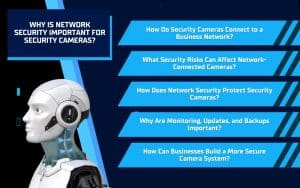
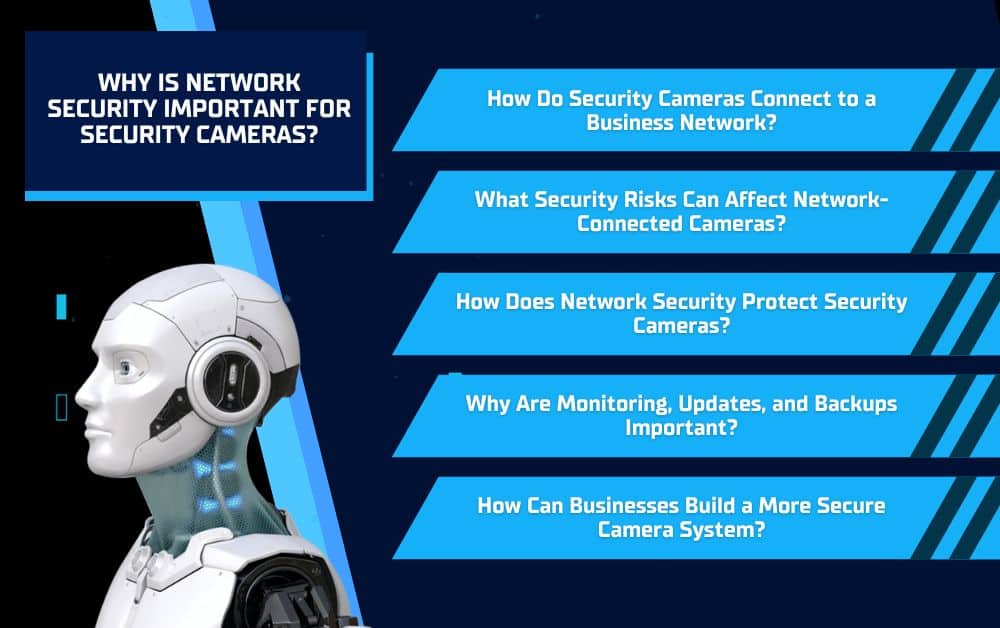
How Do Security Cameras Connect to a Business Network?
Modern security cameras often connect to a business network so they can transmit footage, store recordings, and support remote viewing. These internet protocol, or IP, cameras may connect through network switches, routers, wireless access points, local recording equipment, or cloud-based platforms.
Once connected, each camera becomes part of the business’s larger technology environment. That means the cameras, recording systems, mobile apps, and user accounts must all be configured and protected properly.
Local Camera Systems
Local camera systems store footage on recording equipment located at the business. This may include a network video recorder or another on-site storage device.
Local storage can give businesses direct control over their recordings, but the system still depends on secure network connections, strong passwords, and updated equipment. Without these protections, someone may still gain unauthorized access to the cameras or stored footage.
Cloud-Connected Camera Systems
Cloud-connected security cameras allow authorized users to access live or recorded footage from different locations. Business owners may be able to check their property from a computer, smartphone, or tablet without being on-site.
Cloud storage can also help protect recordings if local equipment is damaged, stolen, or tampered with. However, remote access must be secured with encryption, strong login credentials, and carefully managed permissions.
Solinkit designs customized systems that can include indoor, outdoor, night-vision, long-range, and 360-degree security cameras. The right setup depends on the property, areas that need coverage, and how the business plans to access and store its footage.
What Security Risks Can Affect Network-Connected Cameras?
Network-connected security cameras can improve visibility and convenience, but they can also create vulnerabilities when they are not configured or maintained properly. Weak passwords, outdated firmware, unsecured wireless connections, and poorly managed remote access can make it easier for unauthorized users to target the system.
A compromised camera may expose more than just video footage. In some cases, attackers may attempt to change settings, disable recording, delete stored video, or use the camera as an entry point into other parts of the business network.
Unauthorized Camera Access
Default or easily guessed passwords can allow unauthorized users to access live feeds and recordings. Businesses should replace default login credentials during installation and use strong, unique passwords for every account connected to the camera system.
Access should also be limited based on job responsibilities. Employees should only have permission to view or manage the cameras they need, and access should be removed when someone leaves the company or changes roles.
Outdated Camera Software
Security cameras and recording systems depend on firmware and software to function properly. Manufacturers may release updates to correct performance issues and address known security weaknesses.
When these updates are ignored, vulnerabilities can remain open for attackers to exploit. Keeping cameras, recording devices, mobile apps, and cloud platforms current helps strengthen the entire surveillance system.
Unsecured Remote Viewing
Remote viewing allows business owners and employees to check security cameras from outside the property, but this access must be protected. Weak account settings, unencrypted connections, or poorly secured apps may expose footage and login information.
Businesses should use encrypted connections, strong authentication, and controlled user permissions. These protections make remote access more convenient without unnecessarily increasing the risk to the camera system or the wider network.
How Does Network Security Protect Security Cameras?
Network security helps protect security cameras by controlling who can access the system, how footage moves across the network, and which devices can communicate with one another. Rather than relying on a single security measure, businesses should use several layers of protection to reduce vulnerabilities.
Firewalls
Firewalls help control the traffic entering and leaving a business network. They can block suspicious connections, limit unauthorized access, and prevent certain devices from communicating with outside sources.
For security cameras, a properly configured firewall can help protect live feeds, recording systems, and remote viewing platforms. Solinkit’s firewall solutions can also help monitor wireless networks, switches, and data activity throughout the business.
Strong Access Controls
Access controls determine who can view footage, change settings, or manage the camera system. Businesses should assign permissions based on each employee’s role and avoid giving every user full administrative access.
Strong access controls may include:
- Unique usernames and passwords
- Role-based permissions
- Multifactor authentication
- Regular access reviews
- Prompt removal of former employees
These steps make it more difficult for unauthorized users to enter the system through a compromised account.
Network Segmentation
Network segmentation separates security cameras from computers, servers, payment systems, and other critical devices. This creates an additional barrier between the surveillance system and the rest of the business network.
When security cameras operate on a separate network segment, a compromised camera is less likely to provide direct access to other important systems. Segmentation can also make network activity easier to monitor and manage.
Encryption
Encryption protects footage and login information while data moves between cameras, storage systems, cloud platforms, and viewing devices. Without encryption, sensitive information may be easier to intercept.
Secure camera systems should use encrypted connections for remote access and cloud storage. These protections help businesses view footage from different locations while reducing the risk of exposing recordings or account credentials.
Why Are Monitoring, Updates, and Backups Important?
Network security does not end once security cameras are installed. Cameras, recording equipment, mobile apps, and cloud platforms all require ongoing maintenance to stay secure and reliable. Regular monitoring, updates, and backups help businesses identify problems early and protect important footage.
Continuous Monitoring
Continuous monitoring can help detect unusual network activity, repeated login attempts, device failures, and other warning signs. When these issues are identified early, technicians may be able to respond before they interrupt recording or affect the wider business network.
Monitoring can also help confirm that security cameras remain online, connected, and positioned to capture the areas they are meant to cover.
Firmware and Software Updates
Manufacturers release firmware and software updates to improve performance, add features, and correct known security weaknesses. Installing these updates helps reduce the risk of attackers taking advantage of outdated equipment.
Businesses should keep all parts of the camera system current, including:
- Security cameras
- Network video recorders
- Mobile applications
- Cloud platforms
- Routers and network equipment
A regular update schedule can help security cameras continue working properly while supporting stronger network protection.
Secure Video Backups
Backups help protect recorded footage when local equipment is damaged, stolen, or intentionally tampered with. They can also support recovery after hardware failure, accidental deletion, or a cybersecurity incident.
Cloud-based recording and off-site backups add another layer of protection by storing copies of important footage away from the physical property. With a reliable backup plan, businesses are less likely to lose the video evidence they may need after an incident.
How Can Businesses Build a More Secure Camera System?
Businesses should consider network security while selecting and installing security cameras, not after the system is already in place. A secure camera system starts with the right equipment, but it also depends on proper configuration, controlled access, regular maintenance, and reliable network protections.
Companies can strengthen their security cameras by taking steps such as:
- Changing default usernames and passwords
- Using strong, unique login credentials
- Enabling multifactor authentication when available
- Restricting access based on employee responsibilities
- Separating cameras from critical business systems
- Installing and configuring firewalls
- Securing wired and wireless connections
- Keeping firmware and software updated
- Monitoring the system for unusual activity
- Backing up important recordings
Businesses should also choose security cameras based on the property’s layout and coverage needs. Indoor, outdoor, night-vision, long-range, and 360-degree cameras may all serve different purposes. Selecting the right equipment helps reduce blind spots and ensures the system captures useful footage.
Working with a provider that understands surveillance systems, networking, cloud storage, firewalls, and cybersecurity can make the process easier. Solinkit designs customized security camera systems and supports them with broader IT services, helping businesses protect both their physical property and their digital network.
Protect Your Security Cameras and Your Network
Security cameras can only protect a business effectively when the systems behind them are secure. Weak passwords, outdated software, unsecured remote access, and poor network configurations can expose footage and create risks for other connected devices. Firewalls, encryption, network segmentation, regular updates, monitoring, and secure backups all help reduce these vulnerabilities.
Solinkit combines customized security camera systems with broader IT and network security services. Whether your business needs indoor, outdoor, night-vision, long-range, or 360-degree security cameras, Solinkit can help create a system that protects your property, footage, and network. Contact Solinkit to learn more about building a more secure surveillance solution.