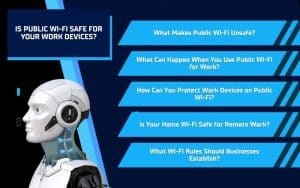
Working from home does not always mean working from the same place. You may take your work device to a coffee shop, library, hotel, airport, or another location where public Wi-Fi offers a convenient way to stay connected. However, these networks may not provide the same security as your home or office connection, which can put business accounts, files, and sensitive information at risk. Understanding the dangers of public networks can help you recognize unsafe connections and protect your work device wherever you log in.
What Makes Public Wi-Fi Unsafe?
Public Wi-Fi networks are convenient, but they often provide less protection than a secured home or business network. You may not know who manages the connection, what security measures it uses, or who else has access to it. This uncertainty can make public networks risky for devices that contain or access business information.
Common Public Wi-Fi Security Risks
An open network allows anyone nearby to connect, including people who may try to monitor activity or access other connected devices. Even networks that require a shared password may not be safe because many people use the same login information.
Cybercriminals can also create fake networks with names that resemble legitimate Wi-Fi offered by a hotel, coffee shop, or airport. Connecting to one of these networks could expose your online activity or direct you to fraudulent login pages.
How Can You Identify an Unsafe Network?
Watch for warning signs such as:
- A network that does not require a password
- Multiple networks with nearly identical names
- Unexpected browser or device security warnings
- Requests for unnecessary personal information
- Prompts to download unfamiliar software
- A network name that employees cannot confirm
Before connecting your work device, ask a staff member for the official network name and login instructions. If you cannot verify the network or something about the connection seems unusual, use a mobile hotspot or wait until you can access a trusted network.
What Can Happen When You Use Public Wi-Fi for Work?
Connecting to public Wi-Fi can put more than your current browsing activity at risk. If someone gains access to your work device or account information, they may use it to reach business systems, contact coworkers, or obtain sensitive data. A single unsafe connection can create problems that continue after you leave the public location.
Business Information May Be Exposed
Using an unsecured network may expose information you access or send while working. Depending on your role, this could include:
- Business email conversations
- Account login credentials
- Customer or employee information
- Financial records and payment details
- Documents stored in shared systems
- Confidential company files
Exposed information may lead to compromised accounts, fraudulent payments, privacy concerns, or damage to your company’s reputation.
Your Work Device May Face Additional Threats
An unsafe network may also make it easier for cybercriminals to target your laptop, tablet, or phone. They may attempt to install malicious software, redirect you to fake websites, or access files and settings through unsecured connections.
These threats may not become obvious immediately. You could notice unusual login notifications, unexpected password resets, unfamiliar software, or changes in device performance later. Report any suspicious activity to your employer or IT provider as soon as possible.
How Can You Protect Work Devices on Public Wi-Fi?
If you must use public Wi-Fi, taking a few precautions can reduce the risk to your device and business information. Your employer may already provide approved security tools or remote work policies, so review those requirements before connecting outside your home or office.
Use Safer Connection Practices
Protect your work device by following these steps:
- Avoid accessing sensitive accounts or confidential files
- Use a company-approved virtual private network
- Confirm the official network name before connecting
- Turn off automatic Wi-Fi connections
- Disable file sharing and device discovery
- Keep your device and security software updated
- Enable multi-factor authentication on business accounts
- Sign out of accounts when you finish working
A VPN can help protect the information traveling between your device and the internet, but it does not make every online activity risk-free. You should still avoid suspicious websites, unexpected downloads, and unverified login pages.
Choose a Mobile Hotspot When Possible
A personal or company-provided mobile hotspot is often a safer option than an unknown public network. It gives you greater control over who can connect and reduces your reliance on a network shared by strangers.
Protect the hotspot with a strong, unique password and avoid sharing it with people you do not know. If you cannot access a secure connection, wait to complete sensitive work until you return to a trusted network.
Is Your Home Wi-Fi Safe for Remote Work?
Working from home does not automatically mean your internet connection is secure. An outdated router, weak password, or incorrect network settings can leave your work devices and business information vulnerable. Taking time to secure your home Wi-Fi creates a safer environment for accessing company accounts, files, and communication tools.
How Can You Secure Your Home Network?
Strengthen your home Wi-Fi by following these steps:
- Change the router’s default administrator username and password
- Create a strong, unique password for the Wi-Fi network
- Use current network encryption, such as WPA2 or WPA3
- Install router firmware and security updates
- Disable remote router management when it is not needed
- Remove unfamiliar devices from the network
- Replace outdated equipment that no longer receives updates
You should also avoid sharing your primary network password with visitors. Check your router settings regularly and contact your internet provider or IT professional if you are unsure whether your equipment has the proper protections.
Should You Create a Separate Guest Network?
A guest network lets visitors connect to the internet without giving them direct access to the network used by your work devices. You can also use it for personal smart devices, such as televisions, speakers, cameras, and appliances.
Keeping these devices separate can reduce the number of potential entry points connected to the network you use for work. Protect the guest network with its own password and update that password when necessary.
What Wi-Fi Rules Should Businesses Establish?
Remote employees need clear guidance about which networks and security tools they can use for work. A remote work security policy removes uncertainty and helps your team make safer decisions when working from home, traveling, or connecting from a public location.
What Should a Remote Work Security Policy Include?
Your policy should explain:
- Which networks employees may use for work
- When employees must use a company-approved VPN
- Which accounts or files should never be accessed on public Wi-Fi
- Whether employees may use personal devices for work
- How company-provided mobile hotspots should be used
- How employees should secure their home networks
- Who employees should contact with security concerns
Your business should also provide the tools employees need to follow the policy. These may include VPN access, mobile hotspots, multi-factor authentication, security software, and properly configured work devices.
What Should Employees Do After a Suspicious Connection?
Employees should know how to respond if they accidentally connect to an unsafe network or notice unusual activity. Teach them to:
- Disconnect from the network immediately
- Stop working on the affected device
- Report the incident to a manager or IT provider
- Explain which accounts or files they accessed
- Follow instructions for changing passwords or scanning the device
- Monitor their accounts for unexpected login attempts
Encourage employees to report concerns quickly without fearing punishment. Prompt reporting gives your IT provider more time to investigate the connection, protect business accounts, and limit potential damage.
Protect Your Remote Work Devices With Solinkit
Public Wi-Fi may be convenient, but it can expose your work devices, business accounts, and sensitive information to unnecessary risks. Using trusted networks, securing your home Wi-Fi, and following your company’s remote work policies can help you work safely from almost anywhere.
If your business needs help protecting remote employees and work devices, Solinkit can evaluate your technology, identify potential security concerns, and recommend practical improvements. Contact Solinkit today to discuss your cybersecurity and remote work needs.