Technology plays a central role in how modern businesses communicate, store information, serve customers, and complete daily tasks. When computers slow down, networks fail, or security issues arise, productivity can quickly come to a halt. That is where IT support comes in. IT support includes the services used to maintain, troubleshoot, secure, and improve the technology a business relies on every day.
However, IT support involves much more than repairing computers after something goes wrong. It can also include system monitoring, software updates, cybersecurity, data backups, network management, Microsoft 365 support, security cameras, and technology consulting. With comprehensive IT support from Solinkit, businesses can reduce downtime, protect their systems, and make smarter technology decisions.
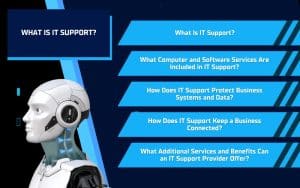
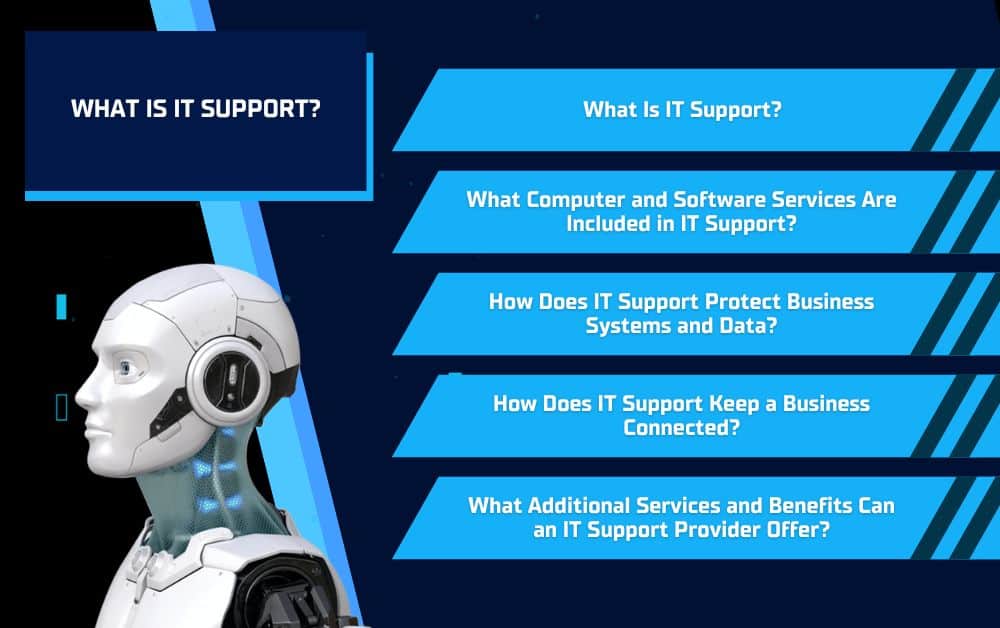
What Is IT Support?
IT support refers to the services that help a business install, maintain, troubleshoot, and protect its technology. This can include computers, software, servers, networks, cloud platforms, phone systems, security tools, and other connected equipment. The goal of IT support is to keep these systems working properly so employees can complete their work without unnecessary interruptions.
Some IT support is reactive, meaning technicians step in after a problem occurs. This may involve fixing a computer that will not start, resolving software errors, restoring an internet connection, or helping an employee regain access to an account.
Reactive IT Support
Reactive IT support focuses on solving immediate problems that interfere with daily operations. Common examples include:
- Repairing hardware or software issues
- Troubleshooting slow computers
- Restoring network or internet access
- Resolving email and login problems
- Recovering files after an unexpected issue
Proactive IT Support
Proactive IT support works to prevent problems before they cause downtime. This may include monitoring systems, installing updates, reviewing equipment performance, strengthening cybersecurity, and identifying potential risks early.
By combining reactive and proactive services, IT support can address urgent problems while also improving the long-term reliability of a business’s technology.
What Computer and Software Services Are Included in IT Support?
Computers and software are essential to nearly every part of a business, from communicating with customers to managing files and completing daily tasks. Professional IT support helps keep these systems updated, reliable, and suited to the company’s needs.
System Monitoring and Updates
Routine monitoring can identify performance problems before they interrupt business operations. IT support providers can review system health, watch for signs of failing equipment, and make sure important updates are installed.
This may include:
- Operating system updates
- Software updates
- Hardware and driver updates
- Performance monitoring
- Equipment lifecycle planning
Keeping systems current can improve performance, close security gaps, and reduce the risk of unexpected downtime.
Computer Sales and Repair
Choosing the right computers and equipment can be difficult, especially when a business has different needs across departments. IT support can help companies select desktops, laptops, servers, and other devices that fit their workloads and budgets.
When problems occur, technicians can diagnose hardware and software issues, complete repairs when practical, and recommend replacement equipment when a device is no longer dependable.
Microsoft 365 Support
Many businesses use Microsoft 365 for email, file storage, communication, and collaboration. IT support can help set up and manage tools such as Exchange, Teams, SharePoint, and other Microsoft applications.
This support may include creating user accounts, managing access, troubleshooting email issues, organizing shared files, and helping employees use Microsoft 365 more effectively. With the right setup and ongoing support, these tools can make it easier for teams to communicate and work together.
How Does IT Support Protect Business Systems and Data?
Modern businesses store sensitive information across computers, cloud platforms, email accounts, and connected devices. Without the right protections in place, these systems can become vulnerable to malware, unauthorized access, data loss, and other cybersecurity threats. IT support helps businesses reduce these risks by combining security tools, monitoring, employee education, and reliable backup solutions.
Malware and Antivirus Protection
Malware can disrupt business operations, damage files, and expose private information. IT support can help protect devices with antivirus software, real-time threat detection, and routine security updates.
These protections can identify suspicious activity, block harmful programs, and reduce the risk of viruses or ransomware spreading across the network. When a threat is detected, IT professionals can also help contain the issue and restore affected systems.
Firewalls and Network Security
Firewalls help control the traffic entering and leaving a business network. Properly configured firewalls can block suspicious connections and make it more difficult for unauthorized users to access company systems.
IT support may also include securing wireless networks, reviewing connected devices, updating network equipment, and monitoring for unusual activity. These steps help create a safer environment for employees, customers, and business data.
Cybersecurity Consulting and Training
Technology alone cannot prevent every security issue. Employees also need to understand how to recognize phishing emails, suspicious links, social engineering attempts, and other common threats.
Cybersecurity consulting and training can help businesses create stronger policies, improve employee awareness, and address risks related to their industry. Regular education gives employees the knowledge they need to make safer decisions when using company systems.
Backup and File Management
Backups provide an important layer of protection when files are deleted, equipment fails, or a cyberattack affects business data. IT support can help businesses create automated local and off-site backups so important information can be recovered when needed.
File management services can also centralize business documents, organize access, and provide version history or snapshots. A reliable backup strategy can reduce downtime and help a business recover more quickly after an unexpected problem.
How Does IT Support Keep a Business Connected?
A reliable connection is essential for communication, file sharing, cloud applications, customer service, and daily business operations. When internet access, Wi-Fi, or network equipment does not work properly, employees may struggle to complete even basic tasks. IT support helps businesses build and maintain dependable systems that keep teams, devices, and locations connected.
Business Network Support
A business network connects computers, servers, printers, phones, and other devices. IT support can help install, configure, monitor, and maintain routers, switches, servers, and cloud-based systems.
Network support may also include troubleshooting slow connections, resolving device conflicts, managing user access, and replacing outdated equipment. A properly maintained network can improve performance and make it easier for employees to access the tools and information they need.
Full-Site Wireless
Weak Wi-Fi signals and dead zones can create problems in offices, warehouses, retail spaces, and multi-building properties. Full-site wireless solutions help provide more consistent coverage across the entire location.
IT support professionals can evaluate the property, determine where access points should be placed, and create a wireless setup based on the building’s size and layout. This can improve connection speeds and help employees stay connected as they move throughout the property.
Internet and Phone Consulting
Choosing the right internet and phone services can be difficult when providers offer different speeds, plans, and features. IT support can help businesses compare options, understand their bandwidth needs, and select services that fit their operations.
An IT support provider may also coordinate with internet and phone companies, assist with installations, and troubleshoot service issues. This gives businesses a knowledgeable point of contact when planning upgrades or resolving connectivity problems.
What Additional Services and Benefits Can an IT Support Provider Offer?
IT support can extend beyond computers, software, and business networks. A comprehensive provider may also help manage security cameras, websites, and long-term technology planning. These additional services give businesses one reliable resource for multiple technology needs.
Security Camera Systems
Security cameras can help businesses monitor their property, protect equipment, and review activity when an incident occurs. An IT support provider can design and install a surveillance system based on the building, property layout, and areas that need coverage.
Depending on the business’s needs, a system may include:
- Indoor and outdoor cameras
- Night-vision cameras
- Long-range cameras
- 360-degree cameras
- Secure remote viewing
- Cloud-based access
A customized camera system can provide stronger coverage than a standard package that does not account for the property’s unique layout.
Website Design and Development
A business website is another important part of its technology. IT support providers may help businesses create responsive websites that work across computers, tablets, and mobile devices.
Website services can include custom design, content management systems, e-commerce capabilities, and search-friendly development. Solinkit also works with LaunchUX to provide website design and development services that support a business’s visibility and growth.
Technology Consulting
Technology consulting helps businesses make informed decisions about their equipment, software, security, and future upgrades. Instead of purchasing products without a clear plan, companies can receive recommendations based on their goals, budget, staff, and daily operations.
An IT support provider can also help create a long-term technology plan, identify outdated systems, and prepare for business growth.
Benefits of Professional IT Support
Working with a professional IT support provider can help a business:
- Reduce technology-related downtime
- Resolve technical problems more quickly
- Improve cybersecurity and data protection
- Maintain stronger computer and network performance
- Plan technology upgrades more effectively
- Access a wider range of technical expertise
- Avoid the cost of maintaining a large internal IT department
With reliable IT support in place, employees can spend less time dealing with technical problems and more time focusing on customers, projects, and daily business operations.
Get Comprehensive IT Support From Solinkit
IT support includes much more than repairing computers when something goes wrong. It can help businesses monitor systems, manage updates, protect sensitive data, maintain reliable networks, improve wireless coverage, support Microsoft 365, manage backups, install security cameras, and plan future technology upgrades.
Solinkit provides comprehensive IT support designed around the needs of each business. Whether you need help improving cybersecurity, replacing outdated equipment, strengthening your network, or managing day-to-day technology, Solinkit can help you build a more reliable and secure IT environment. Contact Solinkit to learn more about creating an IT support solution for your business.