Microsoft updates are a normal part of keeping business technology secure, reliable, and ready for daily use. In August 2026, businesses may need to pay closer attention to Microsoft updates because of expected Microsoft 365 app updates, Windows security patches, update channel changes, and the continued rollout of new security and device management tools.
For companies that rely on Outlook, Teams, Word, Excel, OneDrive, and Windows devices, these updates can affect more than software. They can impact employee productivity, cybersecurity, device performance, and how smoothly daily operations run. Preparing ahead of time can help reduce confusion, prevent avoidable downtime, and make sure important updates are handled the right way.
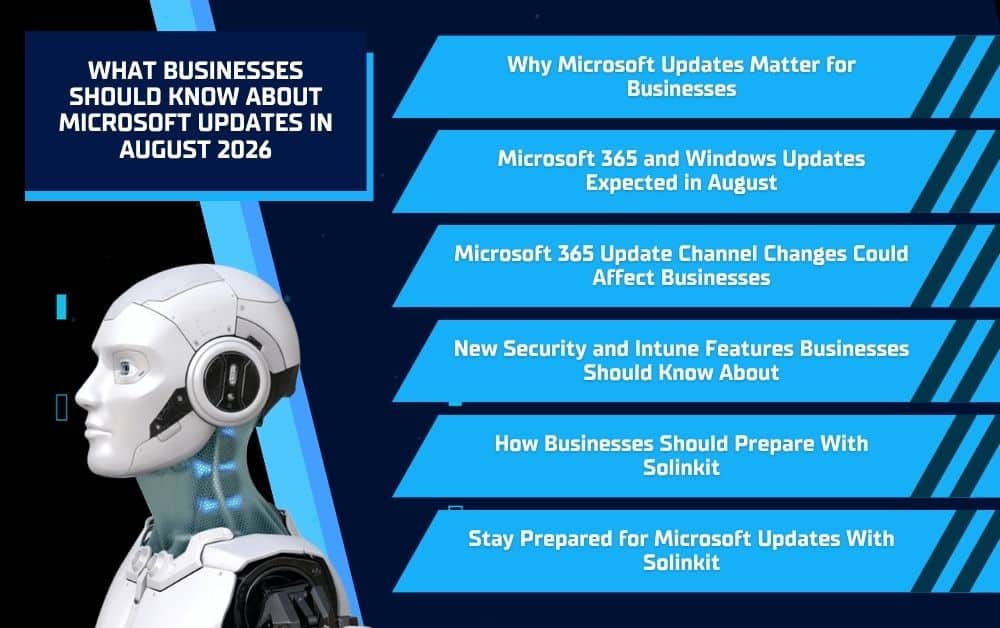
Why Microsoft Updates Matter for Businesses
Microsoft updates help businesses keep their technology protected, stable, and ready for everyday work. While some updates may seem routine, they often include important improvements that help reduce security risks, fix software issues, and keep common workplace tools running properly.
Updates Help Protect Against Security Risks
Cybersecurity threats change constantly, and outdated software can create openings that attackers may try to use. Microsoft updates often include security patches that help protect Windows devices, Microsoft 365 apps, email accounts, files, and business systems from known vulnerabilities.
For a business, delaying updates can increase risk. Even one unpatched device or outdated app can create a weak point in the network. Staying current helps reduce that exposure and gives employees a safer environment to work in.
Updates Keep Business Tools Running Smoothly
Many businesses use Microsoft tools every day for email, documents, meetings, file sharing, and collaboration. Updates can help improve reliability in apps like Outlook, Teams, Word, Excel, PowerPoint, and OneDrive.
When updates are managed properly, they can help fix bugs, improve performance, and reduce frustrating issues that slow employees down. This matters because even small technical problems can interrupt communication, delay work, and create unnecessary support requests.
Updates Can Affect Daily Workflows
Microsoft updates can also change how employees interact with their apps and devices. A new feature, adjusted setting, or security requirement may affect how users sign in, access files, join Teams meetings, or manage shared documents.
That does not mean updates should be avoided. It means businesses should plan for them. With the right IT support, companies can review updates, monitor for issues, communicate changes to employees, and keep systems running with fewer disruptions.
Microsoft 365 and Windows Updates Expected in August
August 2026 is expected to bring scheduled updates for both Microsoft 365 apps and Windows devices. For businesses, this matters because these updates can affect the tools employees use every day, including Outlook, Teams, Word, Excel, PowerPoint, OneDrive, and Windows workstations.
Microsoft 365 App Updates
Microsoft 365 apps are expected to receive scheduled updates in August 2026, including the Monthly Enterprise Channel update on August 11, 2026. These updates may include security fixes, bug fixes, performance improvements, and feature changes across common workplace apps.
Even routine app updates can affect daily workflows. Employees may notice new buttons, adjusted settings, different app behavior, or temporary performance issues after updates install. Preparing ahead helps reduce confusion and gives employees a clear place to turn if something does not work as expected.
Windows Security Updates
Windows security updates are also expected on August 11, 2026, which is Microsoft’s regular Patch Tuesday for the month. These updates typically focus on security vulnerability fixes, reliability improvements, bug fixes, known issue resolutions, and system performance improvements.
Delaying Windows updates can create risk for a business. If devices fall behind, they may stay exposed to vulnerabilities that Microsoft has already addressed. Keeping Windows systems current helps protect company devices, files, applications, and users from avoidable security concerns.
Why Businesses Should Plan for Both
Microsoft 365 and Windows updates work together to support business security and productivity. If apps update but devices remain behind, or if Windows updates install without monitoring, employees may run into issues that interrupt their work.
Solinkit can help businesses review update schedules, monitor devices, manage Microsoft 365 settings, and respond quickly if problems appear after updates install. With the right IT support, businesses can stay current without leaving updates to chance.
Microsoft 365 Update Channel Changes Could Affect Businesses
Microsoft is making update channel changes that may affect how often some businesses receive Microsoft 365 app updates. Starting in July 2026, the Semi-Annual Enterprise Channel is expected to begin receiving feature and security updates more frequently. By August 2026, businesses on that channel may need to adjust to a more active update schedule.
More Frequent Updates for Some Organizations
Some businesses choose slower update channels because they want fewer changes throughout the year. This can be helpful for organizations that need extra stability, have specialized software, or want more time to test changes before they reach employees.
However, more frequent updates can also help businesses receive security improvements and app fixes sooner. The key is making sure those updates are managed properly so they support the business instead of disrupting it.
What This Means for IT Planning
A more frequent update schedule means businesses should take a closer look at how they manage Microsoft 365. IT planning should include more than simply allowing updates to install automatically.
Businesses may need to review:
- Which Microsoft 365 update channel they currently use
- How updates are tested before company-wide rollout
- Whether employees need advance notice of major changes
- How issues will be reported after updates install
- Whether older devices or apps could create compatibility problems
Why Businesses Should Review Their Update Settings
Many businesses do not know which Microsoft 365 update channel they use. That can make update changes feel sudden or confusing when employees start seeing new features, app changes, or unexpected prompts.
Reviewing update settings before August can help businesses understand what to expect. Solinkit can help identify current Microsoft 365 settings, review device readiness, and create a more organized update plan that keeps security, productivity, and business continuity in mind.
New Microsoft 365 Security and Intune Features May Finish Rolling Out
Microsoft also has several commercial Microsoft 365 capabilities expected to finish rolling out by August 1, 2026. These updates focus heavily on security, device management, remote support, and administrative visibility, which can be especially valuable for businesses with multiple users, devices, or locations.
Security and Device Management Tools
Some of the expected Microsoft 365 additions include tools related to Microsoft Defender for Office 365 and Microsoft Intune. These tools can help businesses better manage devices, protect email accounts, monitor security concerns, and support employees when technical issues come up.
For many organizations, these features may improve how they handle everyday IT needs such as device access, remote troubleshooting, application management, and user permissions.
Why These Features Matter
Security and device management tools are important because businesses need more control over how employees access company systems. As more work happens through cloud apps, mobile devices, laptops, and remote connections, companies need better ways to protect data and manage users.
These Microsoft 365 capabilities may help businesses:
- Strengthen email security
- Support remote users more efficiently
- Manage devices and applications
- Monitor system performance
- Improve access control
- Reduce unnecessary security gaps
Where Managed IT Support Helps
Having access to Microsoft tools is not the same as using them correctly. Businesses still need to understand what features are available, which ones apply to their environment, and how to configure them without creating confusion for employees.
Solinkit can help businesses review their Microsoft 365 setup, identify useful security and Intune features, and apply settings that match their needs. With the right support, these updates can become a business advantage instead of another technical task sitting on the back burner.
How Businesses Should Prepare for August Microsoft Updates
Preparing for Microsoft updates before they roll out can help businesses avoid confusion, reduce downtime, and keep systems more secure. August 2026 updates may affect Microsoft 365 apps, Windows devices, update channels, and security tools, so businesses should take a proactive approach instead of waiting for problems to appear.
Review Devices and Software
Businesses should start by checking whether their devices, operating systems, and Microsoft 365 apps are current and supported. Older computers, outdated apps, or unmanaged devices may be more likely to run into issues when updates install.
This review should include employee workstations, laptops, shared devices, and any systems that rely on Microsoft apps for daily work. Catching problems early gives businesses more time to plan, update, or replace technology before it affects productivity.
Communicate with Employees
Employees should know when updates may happen and what to expect if something looks different. A simple notice can help reduce confusion when users see new app features, sign-in prompts, layout changes, or temporary performance issues.
Clear communication also helps employees report problems faster. Instead of guessing what went wrong, they know who to contact and what information to share with IT support.
Monitor for Issues After Updates
After Microsoft updates install, businesses should watch for common issues that can affect daily work. These may include Outlook problems, Teams meeting issues, login errors, printing trouble, OneDrive sync concerns, or slower device performance.
Monitoring after updates helps businesses catch small problems before they interrupt more users. It also gives IT teams a chance to confirm that updates installed correctly and that devices remain secure.
Work With an IT Partner
Managing Microsoft updates takes more than clicking “install.” Businesses need the right update settings, device visibility, security controls, and support process in place.
Solinkit helps businesses manage Microsoft updates with proactive IT support, system monitoring, Microsoft 365 guidance, and security-focused planning. With the right partner, companies can stay current without putting their productivity or data at unnecessary risk.
Why Solinkit Helps Businesses Stay Ahead of Microsoft Updates
Microsoft updates can be difficult to manage without the right IT plan. Businesses need to know which updates are coming, which devices are affected, how employees may be impacted, and what to do if something goes wrong. Solinkit helps businesses stay ahead of these changes with proactive support instead of reactive troubleshooting.
Proactive Monitoring
Solinkit’s system monitoring services help businesses catch potential issues before they become major problems. This matters during Microsoft update cycles because device performance, patch status, security alerts, and system reliability all need attention.
With proactive monitoring, businesses can reduce the risk of missed updates, outdated devices, and unexpected downtime. Instead of waiting for employees to report problems, Solinkit helps identify concerns earlier.
Microsoft 365 Support
Microsoft 365 includes many tools that businesses rely on every day, from Outlook and Teams to OneDrive, SharePoint, Word, Excel, and PowerPoint. When updates affect these tools, employees may need help understanding changes, fixing issues, or adjusting settings.
Solinkit can help businesses manage Microsoft 365 users, review update settings, support app issues, and improve how teams use Microsoft tools across the organization.
Security-Focused IT Guidance
Updates play an important role in cybersecurity, but they are only one part of a stronger IT strategy. Businesses also need secure accounts, protected devices, reliable backups, monitored systems, and clear support processes.
As a veteran-led managed IT provider, Solinkit helps businesses approach Microsoft updates with security, planning, and long-term reliability in mind. That means companies can stay current while also building a stronger foundation for their technology.
Stay Prepared for Microsoft Updates With Solinkit
Microsoft updates in August 2026 may include Microsoft 365 app updates, Windows security patches, update channel changes, and continued rollout of new security and Intune capabilities. For businesses, these updates are not something to ignore. They can affect cybersecurity, productivity, device performance, and the tools employees use every day.
Solinkit helps businesses manage Microsoft updates with proactive IT support, system monitoring, Microsoft 365 guidance, and security-focused planning. If your business wants to stay ahead of updates instead of reacting to problems after they happen, contact Solinkit today to strengthen your Microsoft 365 and managed IT support strategy.