Computer problems often start small, but they can quickly interrupt your workday if they are ignored. A slow startup, frozen screen, strange noise, or unexpected error message may seem minor at first, but these issues can point to larger problems with your hardware, software, or security. Knowing when to get professional computer repair can help you avoid bigger repairs, data loss, and unnecessary downtime. Solinkit helps businesses and individuals identify technology problems early and find practical repair, upgrade, or replacement solutions based on their needs and budget.
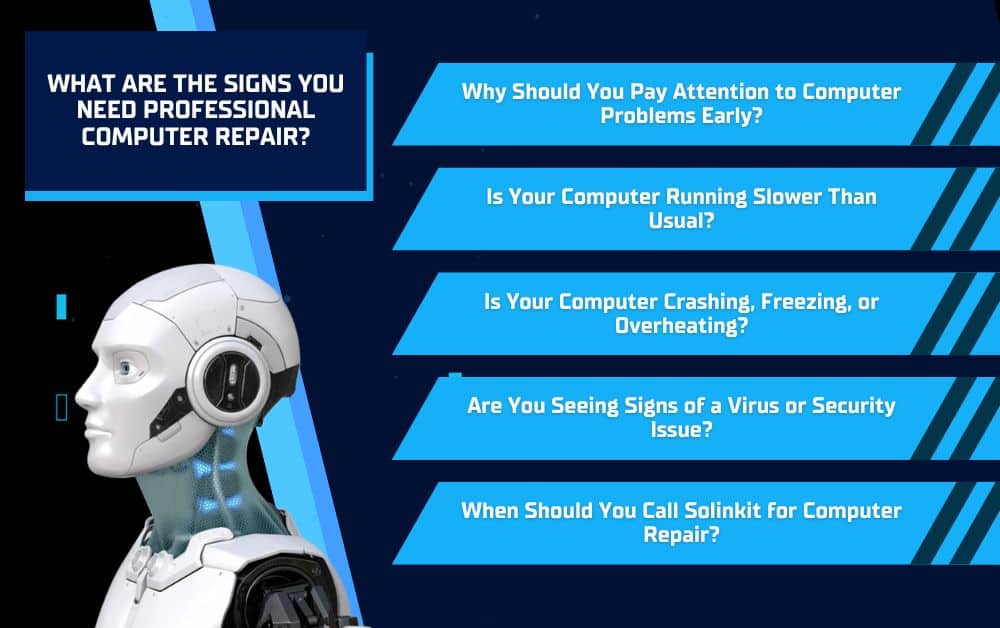
Why Should You Pay Attention to Computer Problems Early?
Small computer issues are easy to ignore, especially when the device still works most of the time. However, those early warning signs can become bigger problems if they are not addressed. A computer that runs slowly, crashes occasionally, makes unusual sounds, or shows repeated error messages may be dealing with hardware failure, software issues, malware, or storage problems. Getting professional computer repair early can help identify the cause before it affects your files, your productivity, or your ability to work.
When Does a Small Issue Become a Bigger Problem?
A small issue becomes more serious when it starts happening regularly or begins interfering with daily tasks. For example, a computer that freezes once may not seem urgent, but a computer that freezes every morning could be warning you about a deeper issue. The same is true for repeated error messages, overheating, unexpected shutdowns, or programs that take too long to open. These patterns should not be ignored because they may get worse over time.
How Can Early Computer Repair Save Money?
Early computer repair can help you avoid more expensive problems later. A technician may be able to clean up software issues, remove malware, replace a failing part, upgrade memory, or recover performance before the computer stops working completely. Professional support can also help you decide whether repairing, upgrading, or replacing the device is the smarter choice for your budget.
Is Your Computer Running Slower Than Usual?
A slow computer is one of the most common signs that something needs attention. It may take too long to start, freeze when opening programs, lag while switching between tasks, or struggle to load basic files. While some slowdowns happen as computers age, a noticeable change in performance can point to an issue that needs professional computer repair.
What Causes a Computer to Slow Down?
Several things can cause a computer to lose speed. The device may be running out of storage, using outdated software, loading too many programs at startup, or struggling with limited memory. In some cases, slow performance can also be caused by malware, damaged files, overheating, or a failing hard drive. A professional can look beyond the surface and determine what is actually causing the slowdown.
When Should Slow Performance Be Checked Professionally?
Slow performance should be checked when simple steps do not solve the issue. If restarting the computer, closing unused programs, or clearing space does not help, there may be a deeper problem. Professional support can diagnose whether the computer needs a cleanup, repair, hardware upgrade, virus removal, or replacement guidance.
Is Your Computer Crashing, Freezing, or Overheating?
Frequent crashes, frozen screens, sudden shutdowns, blue screens, or overheating are signs that your computer may have a deeper hardware or software issue. These problems can be frustrating in the moment, but they can also put your files, programs, and productivity at risk. If your computer is no longer reliable, professional computer repair can help find the cause before the device becomes unusable.
What Do Frequent Crashes Usually Mean?
Frequent crashes can happen for several reasons. The computer may have a software conflict, driver issue, corrupted system file, failing hard drive, memory problem, or overheating component. If crashes happen during the same task or after the computer has been running for a while, that pattern can help a technician diagnose the issue more accurately.
Why Is Overheating a Serious Issue?
Overheating can damage internal parts and cause the computer to slow down or shut off without warning. It may be caused by dust buildup, blocked vents, failing fans, aging components, or heavy workloads. If the computer feels unusually hot, the fan runs constantly, or the device shuts down during use, it should be checked before more damage occurs.
Are You Seeing Signs of a Virus or Security Issue?
A virus or security issue can affect more than your computer’s performance. It can put your files, passwords, personal information, business data, and online accounts at risk. Some warning signs are obvious, while others are easier to overlook. If your computer starts acting strangely, showing unexpected pop-ups, redirecting your browser, or running unknown programs, it may be time to get professional computer repair before the issue spreads or causes data loss.
What Are Common Signs of Malware?
Common signs of malware include frequent pop-ups, slow performance, browser redirects, unfamiliar toolbars, missing files, unknown apps, disabled security tools, or repeated security warnings. You may also notice emails being sent from your account, strange login alerts, or programs opening without your permission. These issues should be taken seriously because they may point to unauthorized access or infected files.
Why Should Security Issues Be Handled Quickly?
Security issues should be handled quickly because the longer they remain on a computer, the more damage they can cause. Malware can steal information, corrupt files, spread to other devices, or interfere with daily work. Professional support can help remove the threat, check for damage, recover what is possible, and strengthen the computer’s protection moving forward.
When Should You Call Solinkit for Computer Repair?
You should call Solinkit for computer repair when the problem keeps coming back, affects your ability to work, or creates concerns about your files or security. Some issues may seem small at first, but recurring problems often point to something deeper. If your computer is slow, unreliable, overheating, showing virus warnings, or making it harder to complete daily tasks, professional support can help you find the right solution.
What Can Solinkit Help With?
Solinkit can help with troubleshooting, hardware upgrades, virus removal, system tune-ups, data migration, workstation setup, and ongoing preventative support. Whether the issue is related to performance, security, software, or hardware, their team can identify the cause and recommend a practical next step.
Should You Repair, Upgrade, or Replace Your Computer?
Not every computer issue means you need a brand-new device. In some cases, a repair or upgrade may be enough to improve performance and extend the life of your computer. In other situations, replacement may be the better long-term option. Solinkit can help you compare those choices and find an option that fits your needs and budget.
Conclusion
Computer problems should not be ignored when they affect speed, reliability, security, or daily work. A slow computer, repeated crashes, overheating, strange pop-ups, or unusual error messages can all be signs that something needs professional attention. Getting computer repair early can help you avoid larger issues, protect your files, and reduce unnecessary downtime. If your computer is making work more frustrating than it needs to be, Solinkit can help diagnose the problem and recommend a practical repair, upgrade, or replacement solution that fits your needs and budget.